Poster only
$20/ month
or $200 / year — save $40
- Weekly printable zmanim poster
- On your letterhead or with your logo
- Minyanim and rules worked out for you
- Phone admin for the gabbai

Live zmanim display for shuls
KehillaLive turns any screen in your shul into a live zmanim board — minyanim, Shabbos, the daily learning and your announcements — and prints a fresh poster every week. The gabbai runs it all from his phone.
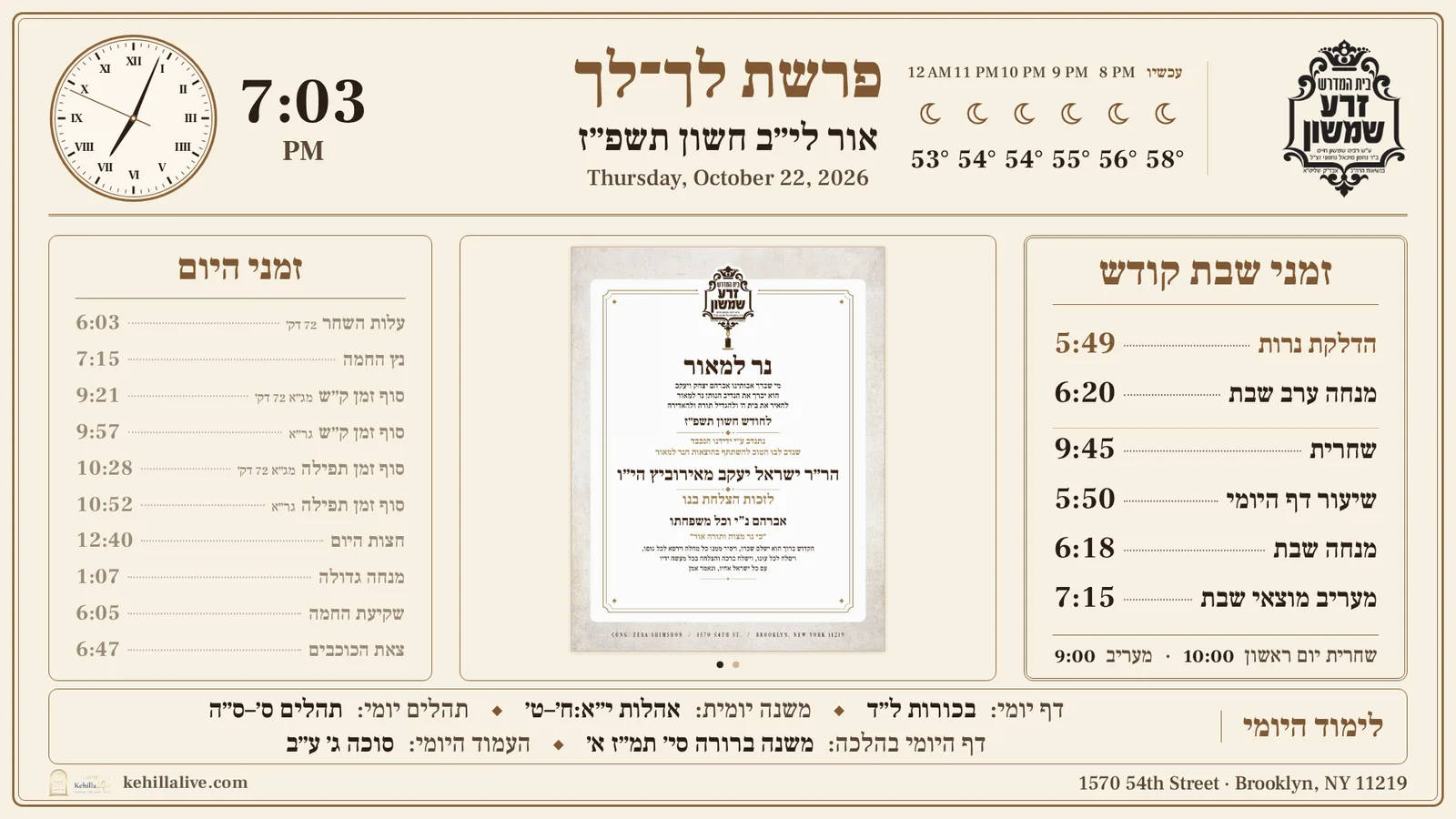
Live at Cong. Zera Shimshon, Brooklyn
Works on any smart screen with a browser, or a Fire Stick (about $30) on the screen you already have.
One link turns the screen on your wall into the shul’s board — zmanim, minyanim, Shabbos and the week’s news — and nobody needs a ladder to change it.
How it works
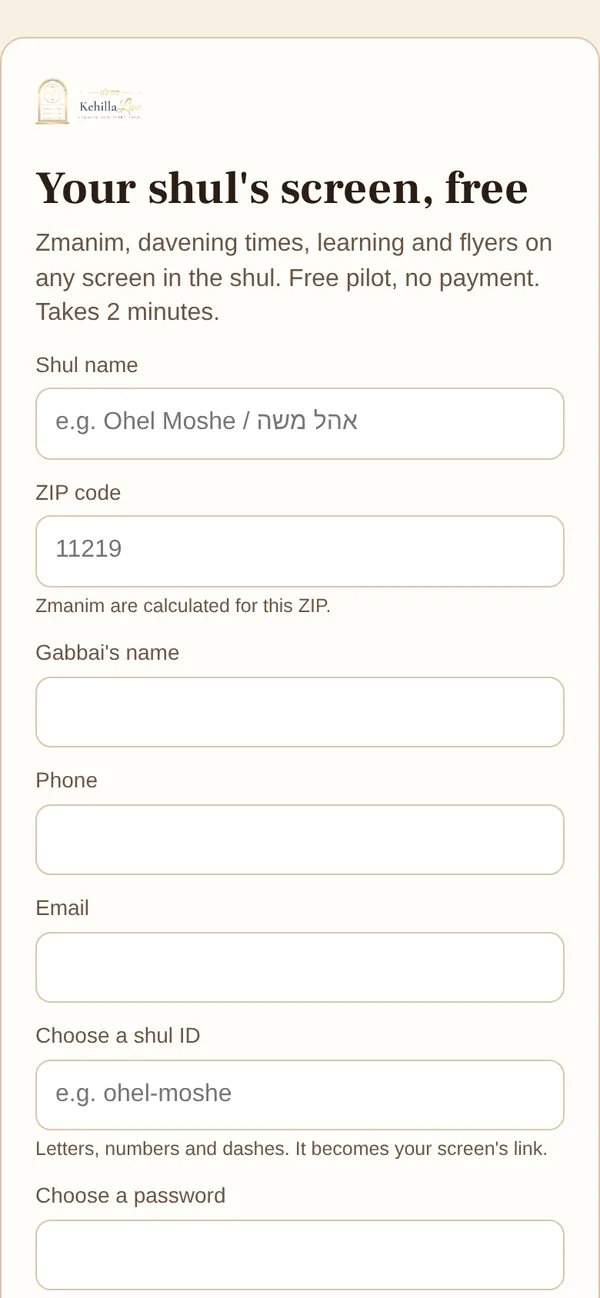
Shul name, ZIP code and a password. Two minutes later you have your own screen link with today’s zmanim already on it.
Use the browser on any smart screen, or plug a Fire Stick into the one you have. Press full screen and leave it on.
Change a minyan, add a flyer or a yahrzeit, press Save. The screen picks it up on its own — no ladder, no laptop.
See it
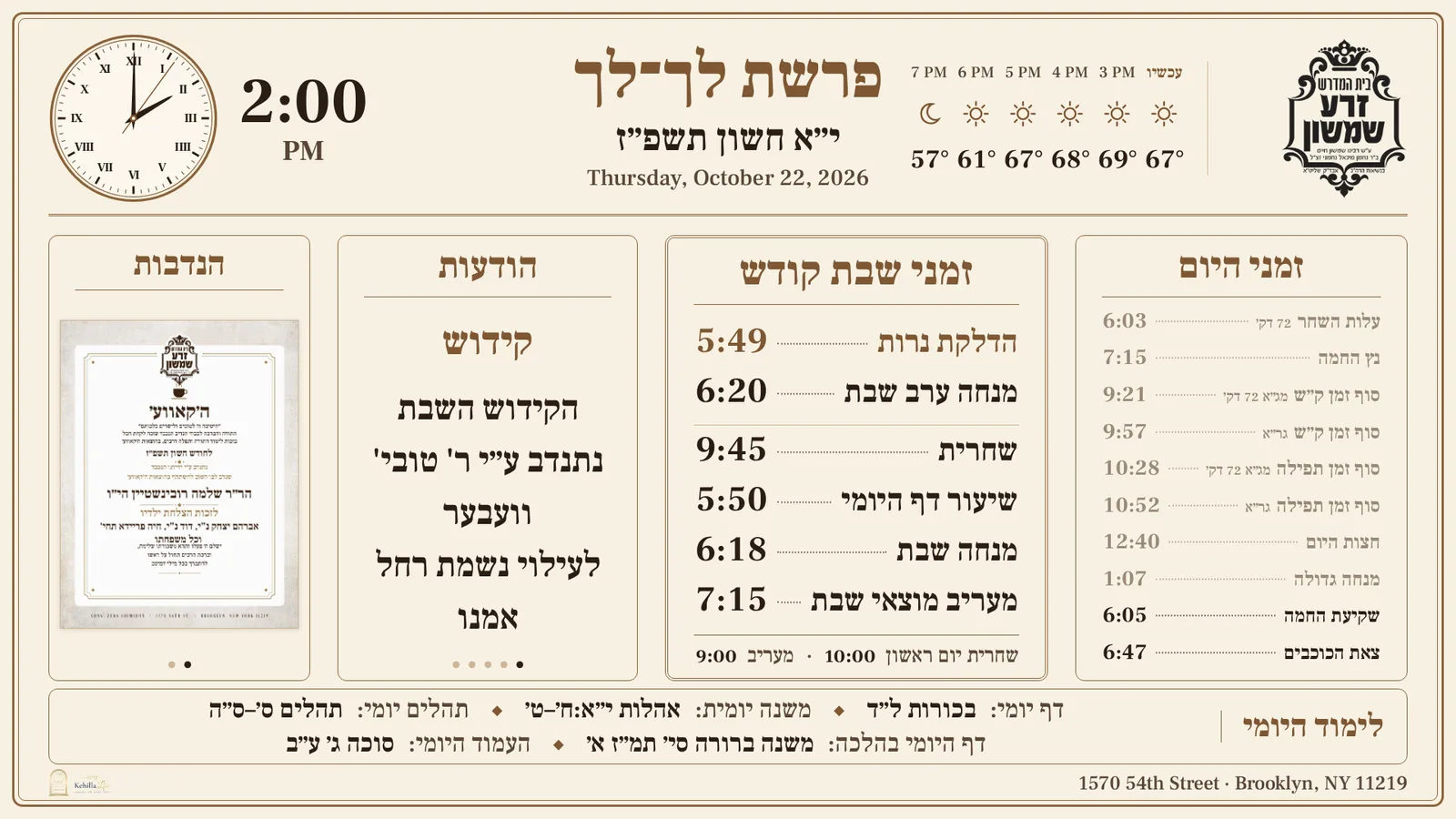
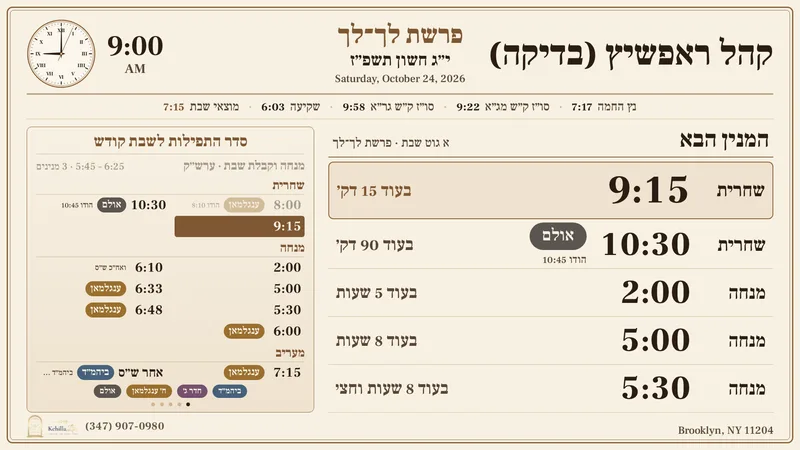
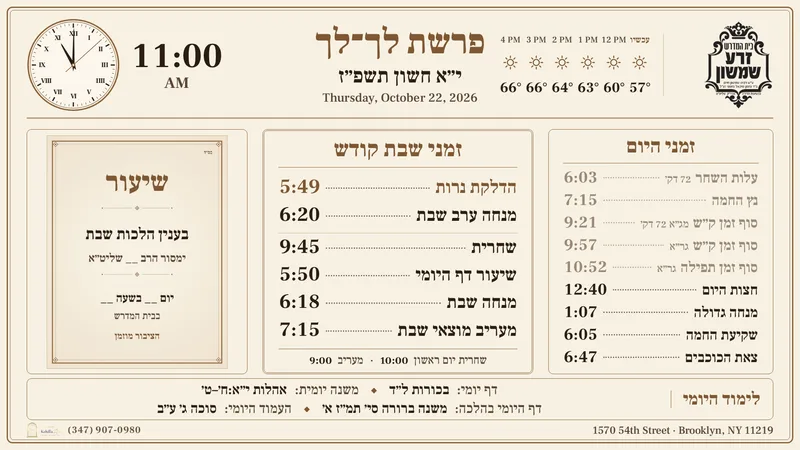
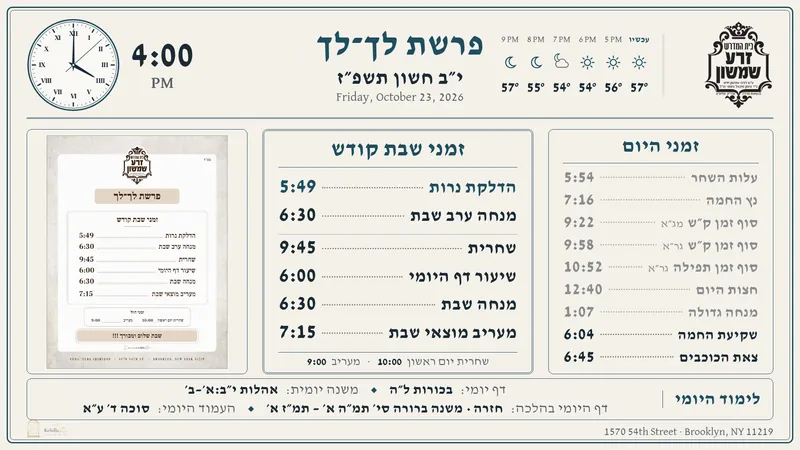
Screenshots from real shuls on KehillaLive. The demo screen is running right now — open it yourself.

Features
Alos, netz, sof zman Shema, chatzos, shkiya and tzeis, plus the Hebrew date and parsha, calculated daily for your location.
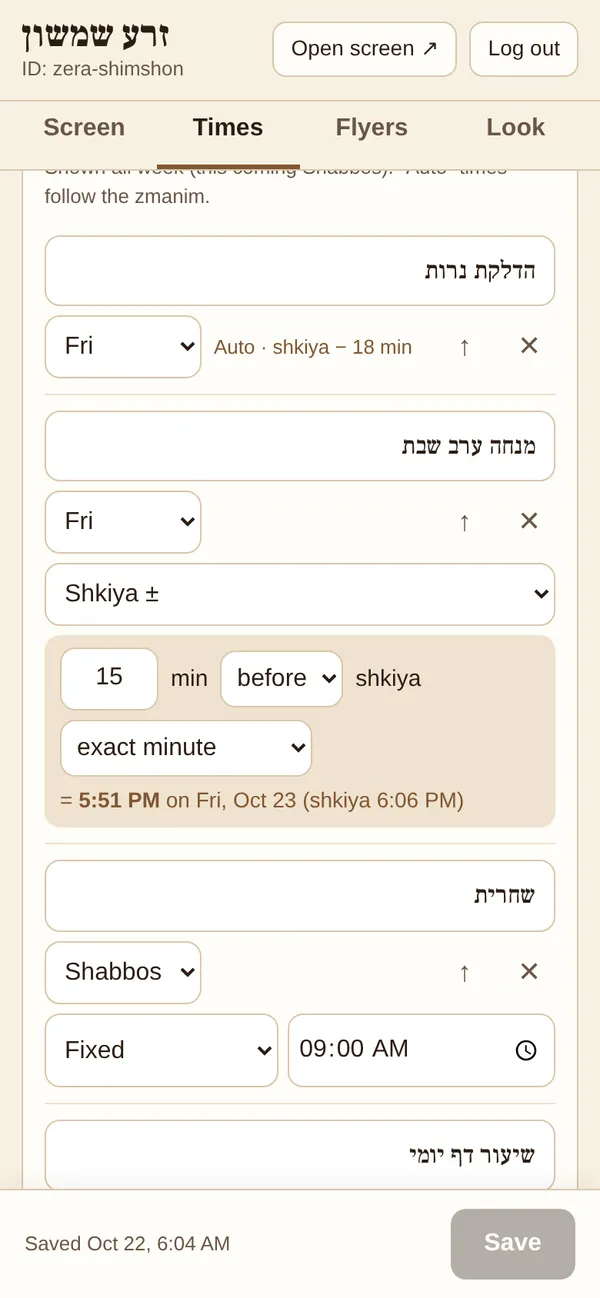
Enter a fixed time, or a rule like “15 minutes before shkiya, rounded to 5.” Mincha moves with the season without anyone touching it.
Candle lighting, Shabbos minyanim, Mincha and Motzei Shabbos — laid out the way your mispallelim expect to see it.
A large analog clock face and a countdown to the next tefillah.
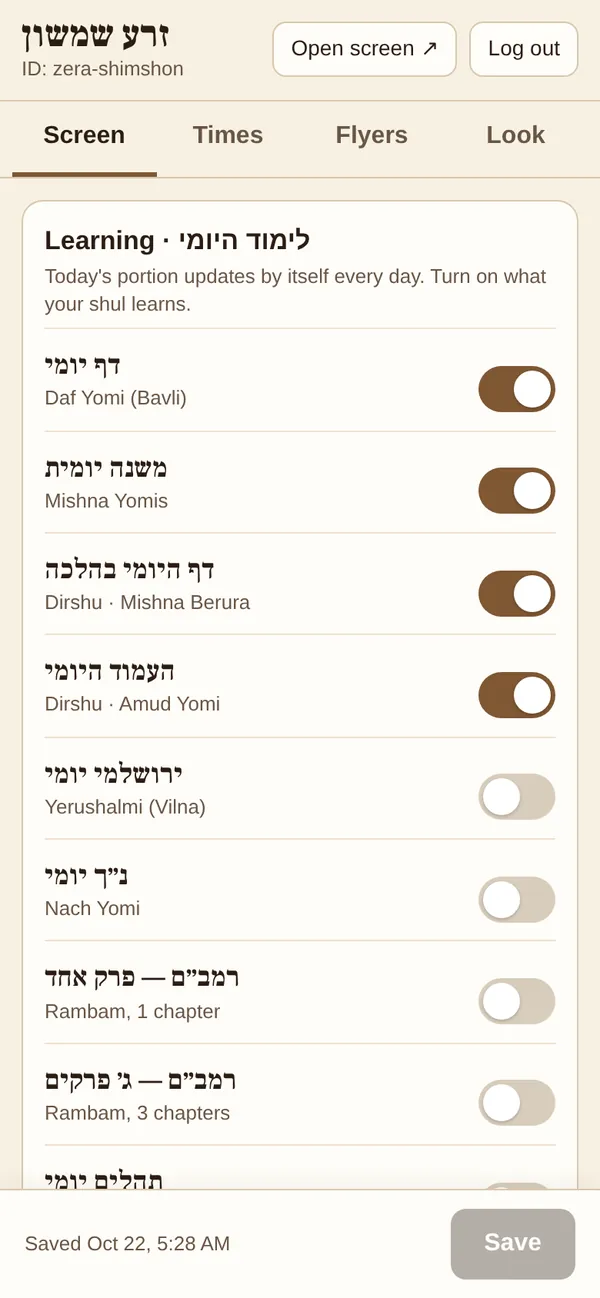
Daf Yomi, Mishna Yomis, Dirshu Daf HaYomi B’Halacha, Amud Yomi, Rambam and more. Turn on only what your shul learns.
A quiet line in the top bar, so nobody walks out to Maariv without an umbrella.
Upload a JPG or PDF from your phone, or drag it in on a computer. It joins the rotation on the screen.
This week’s yahrzeits, Shabbos to Shabbos, with the day of each. Enter the Hebrew date once; it comes back every year.
“The Kiddush is sponsored by…” — with a start and end date, so it appears on time and disappears by itself.
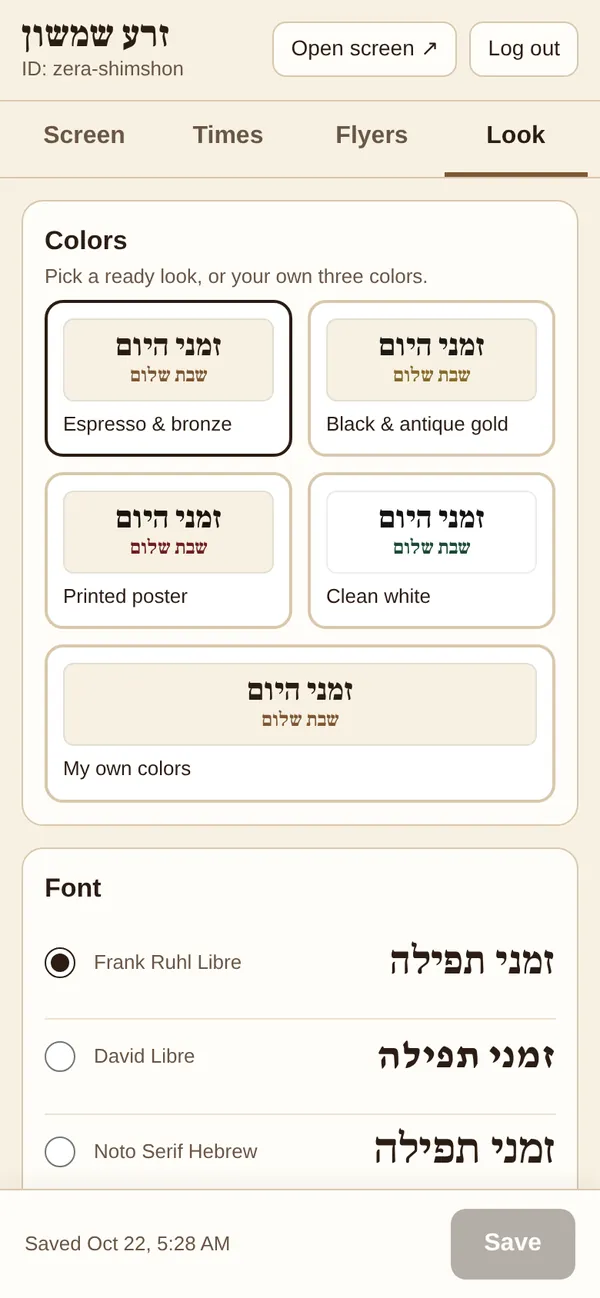
Your colors, your logo, a background, and a choice of Hebrew fonts. It should look like it belongs on your wall.
The screen saves about five weeks of zmanim ahead. If the internet drops, the times stay right.
The gabbai’s page speaks his language, right-to-left included.
The weekly poster
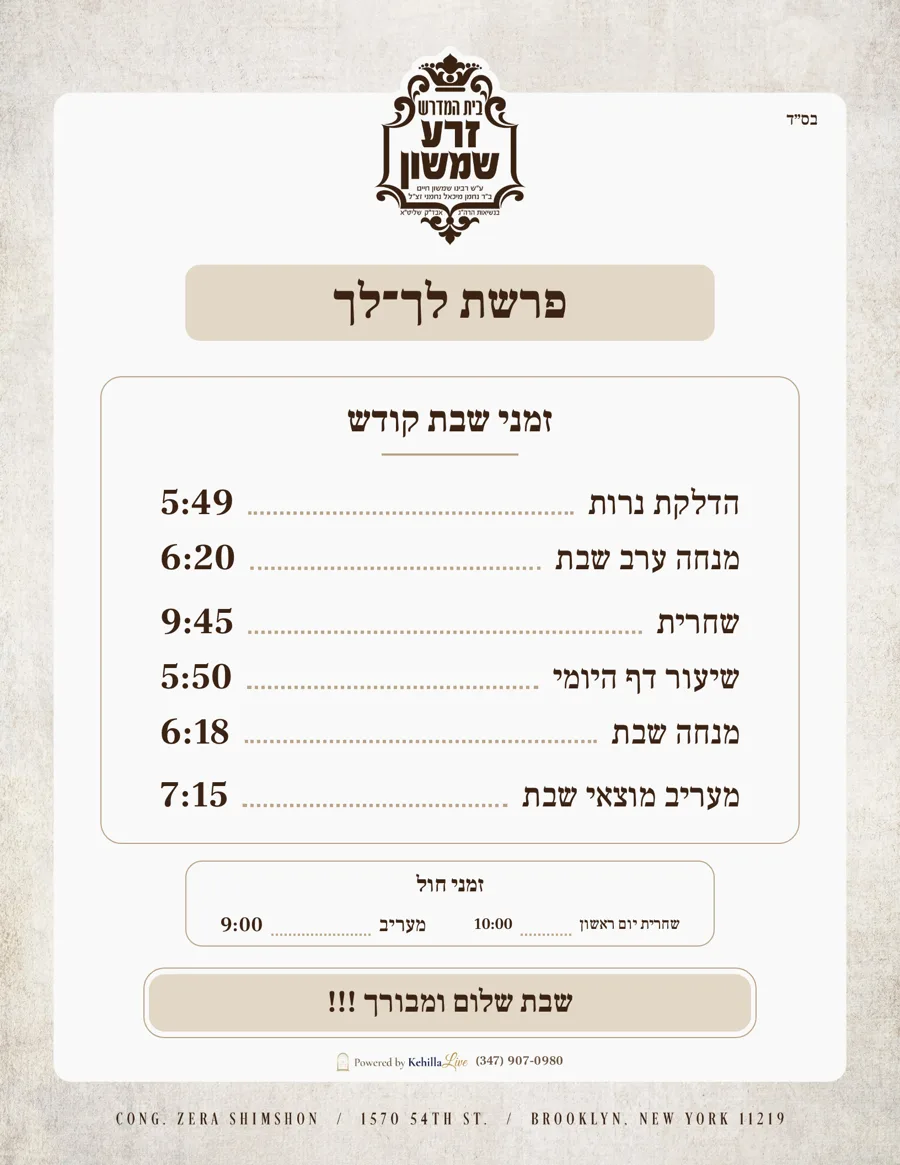
Not everyone looks up at a screen. KehillaLive builds a clean 8.5×11 poster for each week from the same times — on your shul’s letterhead or with your logo — ready for the bulletin board, the shul’s WhatsApp group or the email list.
Only need the poster? There’s a poster-only plan — see pricing.
For the gabbai
No software to install and no computer in the shul office. The gabbai logs in on his phone and every part of the screen is a tap away.
Pricing
Pay monthly, or yearly and save. Use the screen you already have.
Poster only
$20/ month
or $200 / year — save $40
Most shuls
Screen + poster
$50/ month
or $500 / year — save $100
Simcha add-on
Add to any screen
Ask us about pricing
Need a device? Any smart screen with a web browser works, or an Amazon Fire Stick (about $30) on the screen you already have. Early shuls — ask us about our pilot.
Questions
Something else? info@kehillalive.com
Any smart screen with a web browser, or any screen with an HDMI port and a Fire Stick (about $30). A computer connected to a monitor works too. Open your shul’s link, press full screen, and that’s it.
It needs Wi-Fi to set up and to pick up your changes. Once it’s running, the screen saves about five weeks of zmanim ahead, so if the internet goes down the times stay correct. If it was ever offline long enough to run out, it says so plainly rather than show old times.
Usually within seconds of pressing Save on the phone — without anyone touching the screen.
Zmanim, Hebrew dates and parsha come from Hebcal, calculated for your shul’s ZIP code. The Dirshu learning follows Dirshu’s official luach.
Yes. The gabbai’s page works in English, Hebrew and Yiddish, and the screen itself is in Hebrew with traditional shul wording.
Yes. Any minyan can be a fixed time or a rule — minutes before or after shkiya or candle lighting, rounded to five minutes if you like. A shiur can follow Mincha (“Daf Yomi = Mincha − 30”).
Choose your colors, a Hebrew font, your logo and a background picture. The weekly poster can go on your letterhead.
Screen + poster is $50 a month or $500 a year. Poster only is $20 a month or $200 a year. The Simcha screen is an add-on — ask us. You only need a screen and Wi-Fi.
Get in touch
Sign up and you’ll have a working screen in minutes. Or write to us — we’re happy to walk your gabbai through it.